


How to fit the glass
Tap a chapter to jump straight to that point.
The same four steps, without the video
In case you can't play sound right now or simply prefer to read.
Clean the screen
First the wet wipe, then the microfibre cloth. Finish by dabbing the dust sticker over the whole screen. Any speck left behind now will turn into a bubble later.
In the video from 0:09Position the frame
Place the Easy Install frame, with the glass inside, onto the phone. It grips the edges and aligns the glass to the millimetre, with the cut-out facing the camera.
In the video from 0:20Peel off the backing
Pull the yellow tab and peel off the protective film in one go. The glass settles onto the screen by itself as you do.
In the video from 0:25Press down, wait, peel off the top film
Smooth with your finger from the centre outwards and wait a few seconds until the glass has bonded across the whole surface. Then remove the frame and peel off the top protective film. Done.
In the video from 0:30
The 2-pack includes a second glass. If dust gets underneath on your first attempt: take it off, dab the screen again and use the second glass.
What's in the pack
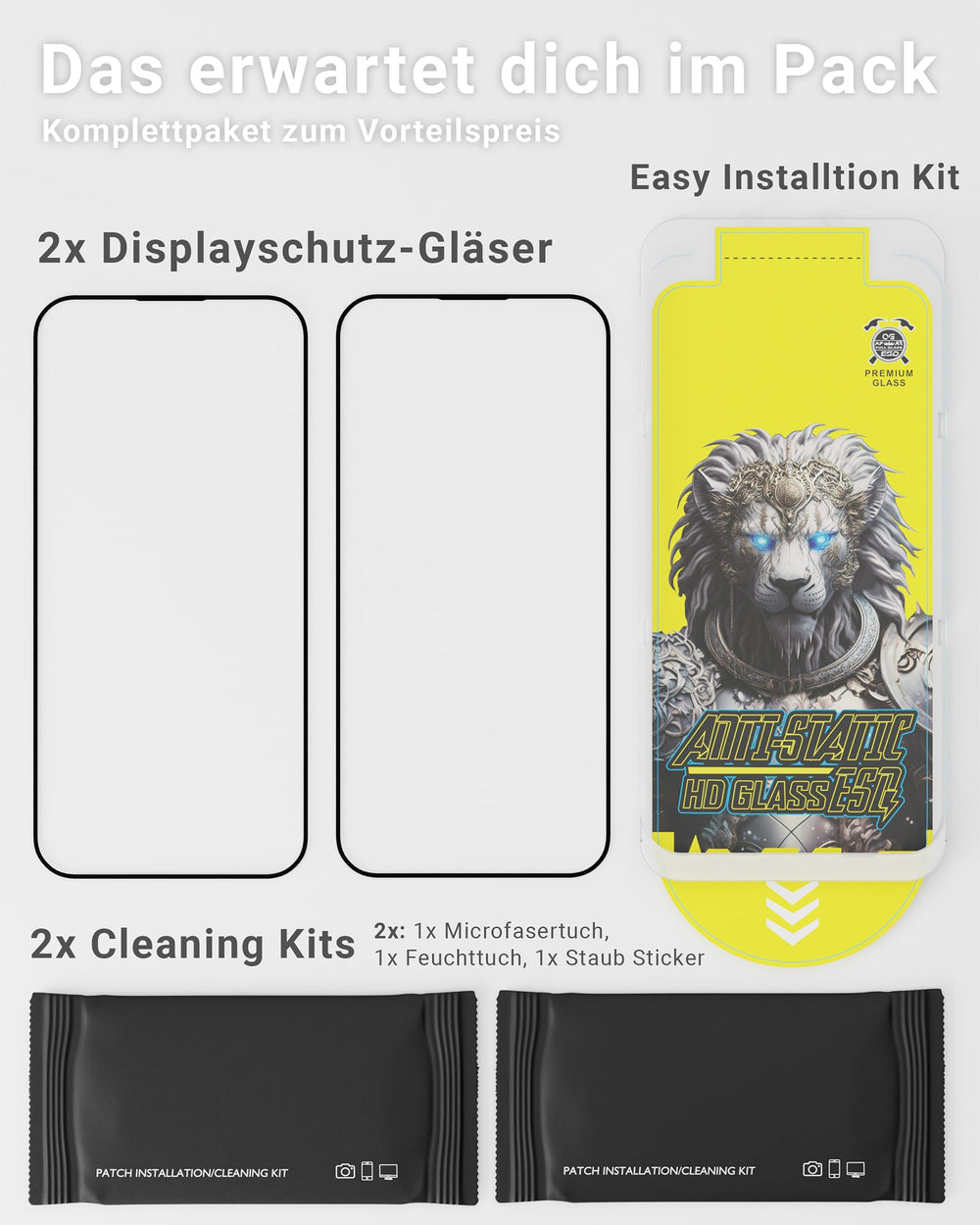
Everything you need for fitting is included. There's nothing extra to buy.
- 2× screen protector glassone to fit, one as a spare
- Easy Install framepositions the glass to the millimetre
- 2× cleaning kitmicrofibre cloth, wet wipe, dust sticker
- Quick-start guidethe four steps on paper
If something goes wrong
There are bubbles or specks of dust under the glass.
It is almost always dust underneath. Lift the glass at one corner with a fingernail and take it off, dab the screen again with the dust sticker and refit the glass. Smooth small bubbles near the edge out towards the edge with the microfibre cloth; tiny ones often disappear by themselves within a day.
The frame doesn't sit flush on the phone.
The frame is made to fit the model you ordered. Check that the model on the packaging matches your phone and that no case is in the way; the case has to come off for fitting. If the wrong model was delivered, email support@greenhec.de.
Do Face ID and the fingerprint sensor work with the glass?
Yes. Face ID on the iPhone works without restriction, as does the in-display fingerprint sensor on Galaxy models. Touch response and brightness stay the same as without the glass.
Does the glass fit under my case?
Yes. The glass stops just short of the edge of the screen, so the case sits over it without lifting the edges.
The glass has cracked.
That's what it's for: the glass takes the damage and the screen underneath stays intact. Remove the cracked glass and fit the second one from the pack. Replacements are available on the product page.
Something is missing or a glass arrived damaged.
Email support@greenhec.de with your order number and a photo, and we'll sort it out.

For your next phone or as a spare
The glass is available as Crystal for iPhone, as Privacy for iPhone, which blocks the view from the side, and as Crystal for Samsung Galaxy.
- 9H tempered glassscratches stay in the glass, not in the screen
- Easy Install frameincluded in every pack
- 2-packtwo glasses plus two cleaning kits